<?xml version="1.0" encoding="utf-8"?>
<feed xmlns="http://www.w3.org/2005/Atom">
  <author>
    <name>Rae</name>
  </author>
  <generator uri="https://hexo.io/">Hexo</generator>
  <icon>https://daemonforu.us.kg/icon.png</icon>
  <id>https://daemonforu.us.kg/</id>
  <link href="https://daemonforu.us.kg/" rel="alternate"/>
  <link href="https://daemonforu.us.kg/atom.xml" rel="self"/>
  <rights>All rights reserved 2026, Rae</rights>
  <title>Rae's blog</title>
  <updated>2026-10-09T13:05:22.114Z</updated>
  <entry>
    <author>
      <name>Rae</name>
    </author>
    <category term="self-hosted" scheme="https://daemonforu.us.kg/categories/self-hosted/"/>
    <category term="Cloudflare" scheme="https://daemonforu.us.kg/tags/Cloudflare/"/>
    <category term="NAS" scheme="https://daemonforu.us.kg/tags/NAS/"/>
    <category term="Termux" scheme="https://daemonforu.us.kg/tags/Termux/"/>
    <category term="Android" scheme="https://daemonforu.us.kg/tags/Android/"/>
    <category term="Flask" scheme="https://daemonforu.us.kg/tags/Flask/"/>
    <category term="Tunnel" scheme="https://daemonforu.us.kg/tags/Tunnel/"/>
    <category term="self-hosted" scheme="https://daemonforu.us.kg/tags/self-hosted/"/>
    <category term="自建服务" scheme="https://daemonforu.us.kg/tags/%E8%87%AA%E5%BB%BA%E6%9C%8D%E5%8A%A1/"/>
    <content>
      <![CDATA[<h2 id="起因">起因</h2><p>一台 OnePlus Ace 2 Pro，456GB 存储，14GB 内存，24 小时在线。跑着 Termux。</p><p>为什么不把它变成一个 NAS？</p><p>目标很明确：</p><ul><li>浏览器访问的文件管理器</li><li>通过自有域名全球可访问</li><li>支持媒体播放、在线编辑、分享链接</li><li>稳定运行，故障自愈</li></ul><hr><h2 id="最终架构">最终架构</h2><figure class="highlight text"><table><tr><td class="code"><pre><span class="line">Phone (Android + Termux)</span><br><span class="line">  │</span><br><span class="line">  ├── Flask app (port 8080)</span><br><span class="line">  │     └── /sdcard 文件管理器 + 媒体中心</span><br><span class="line">  │</span><br><span class="line">  ├── cloudflared tunnel</span><br><span class="line">  │     └── Cloudflare Edge (LAX/SJC)</span><br><span class="line">  │</span><br><span class="line">  └── runit 守护进程</span><br><span class="line">        ├── filemanager (auto-restart)</span><br><span class="line">        └── cloudflared (watchdog + 6h 重启)</span><br><span class="line">              │</span><br><span class="line">              ▼</span><br><span class="line">     https://phantomion.qzz.io</span><br></pre></td></tr></table></figure><hr><h2 id="1-Flask-文件管理器">1. Flask 文件管理器</h2><p>全部代码不到 600 行，一个文件搞定。</p><h3 id="核心路由">核心路由</h3><figure class="highlight python"><table><tr><td class="code"><pre><span class="line"><span class="comment"># 认证</span></span><br><span class="line"><span class="meta">@app.route(<span class="params"><span class="string">&#x27;/login&#x27;</span>, methods=[<span class="string">&#x27;GET&#x27;</span>, <span class="string">&#x27;POST&#x27;</span>]</span>)</span></span><br><span class="line"><span class="keyword">def</span> <span class="title function_">login</span>():</span><br><span class="line">    <span class="string">&quot;&quot;&quot;Flask-Login + bcrypt 密码验证&quot;&quot;&quot;</span></span><br><span class="line"></span><br><span class="line"><span class="comment"># 文件浏览 — 三种视图</span></span><br><span class="line"><span class="meta">@app.route(<span class="params"><span class="string">&#x27;/&#x27;</span></span>)</span></span><br><span class="line"><span class="keyword">def</span> <span class="title function_">index</span>():</span><br><span class="line">    <span class="string">&quot;&quot;&quot;列表 / 网格 / 画廊 视图&quot;&quot;&quot;</span></span><br><span class="line"></span><br><span class="line"><span class="comment"># API</span></span><br><span class="line"><span class="meta">@app.route(<span class="params"><span class="string">&#x27;/api/list&#x27;</span></span>)</span></span><br><span class="line"><span class="keyword">def</span> <span class="title function_">api_list</span>():</span><br><span class="line">    <span class="string">&quot;&quot;&quot;返回 JSON 文件列表，支持排序&quot;&quot;&quot;</span></span><br><span class="line"></span><br><span class="line"><span class="meta">@app.route(<span class="params"><span class="string">&#x27;/api/upload&#x27;</span>, methods=[<span class="string">&#x27;POST&#x27;</span>]</span>)</span></span><br><span class="line"><span class="keyword">def</span> <span class="title function_">upload_file</span>():</span><br><span class="line">    <span class="string">&quot;&quot;&quot;流式上传，512MB 内存缓冲，避免 temp 磁盘溢出&quot;&quot;&quot;</span></span><br><span class="line">    f.save(dst)  <span class="comment"># 直接用 save()，不用 stream.read()</span></span><br></pre></td></tr></table></figure><h3 id="关键配置">关键配置</h3><figure class="highlight python"><table><tr><td class="code"><pre><span class="line">app.config[<span class="string">&#x27;MAX_CONTENT_LENGTH&#x27;</span>] = <span class="number">1024</span> * <span class="number">1024</span> * <span class="number">1024</span>   <span class="comment"># 1GB 上传限制</span></span><br><span class="line">app.config[<span class="string">&#x27;MAX_FORM_MEMORY_SIZE&#x27;</span>] = <span class="number">512</span> * <span class="number">1024</span> * <span class="number">1024</span>  <span class="comment"># 512MB 内存缓冲</span></span><br><span class="line">app.run(host=<span class="string">&#x27;0.0.0.0&#x27;</span>, port=<span class="number">8080</span>, debug=<span class="literal">False</span>, threaded=<span class="literal">True</span>)</span><br></pre></td></tr></table></figure><p><code>threaded=True</code> 是性能关键——Flask 内置的 Werkzeug 默认单线程，一个慢请求会阻塞所有其他请求。</p><h3 id="媒体中心功能">媒体中心功能</h3><p><strong>右键菜单</strong>提供了完整的文件操作：</p><table><thead><tr><th>功能</th><th>实现</th></tr></thead><tbody><tr><td>播放/流媒体</td><td><code>&lt;audio&gt;</code> / <code>&lt;video&gt;</code> 标签 + Range 请求</td></tr><tr><td>在线编辑</td><td>Textarea + <code>/api/save-file</code> 写回</td></tr><tr><td>解压归档</td><td>Python <code>zipfile</code> / <code>shutil.unpack_archive</code></td></tr><tr><td>分享链接</td><td>临时 token + QR 码（qrcode API）</td></tr><tr><td>缩略图</td><td>PIL <code>Image.thumbnail()</code> 实时生成</td></tr></tbody></table><figure class="highlight python"><table><tr><td class="code"><pre><span class="line"><span class="meta">@app.route(<span class="params"><span class="string">&#x27;/api/stream/&lt;path:filepath&gt;&#x27;</span></span>)</span></span><br><span class="line"><span class="keyword">def</span> <span class="title function_">stream_file</span>(<span class="params">filepath</span>):</span><br><span class="line">    <span class="string">&quot;&quot;&quot;支持 Range 请求的媒体流&quot;&quot;&quot;</span></span><br><span class="line">    <span class="keyword">return</span> send_file(path, conditional=<span class="literal">True</span>)</span><br><span class="line"></span><br><span class="line"><span class="meta">@app.route(<span class="params"><span class="string">&#x27;/api/thumbnail&#x27;</span></span>)</span></span><br><span class="line"><span class="keyword">def</span> <span class="title function_">api_thumbnail</span>():</span><br><span class="line">    <span class="string">&quot;&quot;&quot;实时生成 120px 缩略图&quot;&quot;&quot;</span></span><br><span class="line">    img = Image.<span class="built_in">open</span>(path)</span><br><span class="line">    img.thumbnail((size, size), Image.LANCZOS)</span><br><span class="line">    img.convert(<span class="string">&#x27;RGB&#x27;</span>).save(buf, <span class="built_in">format</span>=<span class="string">&#x27;JPEG&#x27;</span>, quality=<span class="number">70</span>)</span><br></pre></td></tr></table></figure><hr><h2 id="2-Cloudflare-Tunnel">2. Cloudflare Tunnel</h2><h3 id="2-1-前置条件">2.1 前置条件</h3><p>域名 DNS 必须托管在 Cloudflare：</p><figure class="highlight bash"><table><tr><td class="code"><pre><span class="line">$ dig NS phantomion.qzz.io</span><br><span class="line">lee.ns.cloudflare.com.</span><br><span class="line">violet.ns.cloudflare.com.</span><br></pre></td></tr></table></figure><h3 id="2-2-安装">2.2 安装</h3><figure class="highlight bash"><table><tr><td class="code"><pre><span class="line">pkg install cloudflared</span><br></pre></td></tr></table></figure><h3 id="2-3-创建-Tunnel">2.3 创建 Tunnel</h3><p>在 <a href="https://one.dash.cloudflare.com/">Cloudflare Zero Trust</a> 面板：</p><ol><li>Networks → Tunnels → Create a tunnel</li><li>命名 <code>termux-fm</code>，选择 <strong>Cloudflared</strong> 连接器</li><li>复制 token（格式如 <code>eyJhIjoiODQzNTQyODQ2...</code>）</li></ol><figure class="highlight bash"><table><tr><td class="code"><pre><span class="line"><span class="comment"># 保存并启动</span></span><br><span class="line"><span class="built_in">echo</span> <span class="string">&#x27;eyJhIjoi...&#x27;</span> &gt; ~/.cloudflared/tunnel-token.txt</span><br><span class="line">cloudflared tunnel run --token $(<span class="built_in">cat</span> ~/.cloudflared/tunnel-token.txt)</span><br></pre></td></tr></table></figure><h3 id="2-4-DNS-路由配置">2.4 DNS 路由配置</h3><figure class="highlight bash"><table><tr><td class="code"><pre><span class="line"><span class="comment"># 通过 Cloudflare API 更新 CNAME</span></span><br><span class="line">curl -X PUT \</span><br><span class="line">  <span class="string">&quot;https://api.cloudflare.com/client/v4/zones/<span class="variable">$ZONE_ID</span>/dns_records/<span class="variable">$RECORD_ID</span>&quot;</span> \</span><br><span class="line">  -H <span class="string">&quot;Authorization: Bearer <span class="variable">$API_TOKEN</span>&quot;</span> \</span><br><span class="line">  -H <span class="string">&quot;Content-Type: application/json&quot;</span> \</span><br><span class="line">  -d <span class="string">&#x27;&#123;</span></span><br><span class="line"><span class="string">    &quot;type&quot;: &quot;CNAME&quot;,</span></span><br><span class="line"><span class="string">    &quot;name&quot;: &quot;phantomion.qzz.io&quot;,</span></span><br><span class="line"><span class="string">    &quot;content&quot;: &quot;0287965c-ae64-45b8-a71c-094cf88e0cf3.cfargotunnel.com&quot;,</span></span><br><span class="line"><span class="string">    &quot;proxied&quot;: true,</span></span><br><span class="line"><span class="string">    &quot;ttl&quot;: 1</span></span><br><span class="line"><span class="string">  &#125;&#x27;</span></span><br></pre></td></tr></table></figure><h3 id="2-5-Ingress-规则">2.5 Ingress 规则</h3><figure class="highlight json"><table><tr><td class="code"><pre><span class="line"><span class="punctuation">&#123;</span></span><br><span class="line">  <span class="attr">&quot;ingress&quot;</span><span class="punctuation">:</span> <span class="punctuation">[</span></span><br><span class="line">    <span class="punctuation">&#123;</span></span><br><span class="line">      <span class="attr">&quot;hostname&quot;</span><span class="punctuation">:</span> <span class="string">&quot;phantomion.qzz.io&quot;</span><span class="punctuation">,</span></span><br><span class="line">      <span class="attr">&quot;service&quot;</span><span class="punctuation">:</span> <span class="string">&quot;http://localhost:8080&quot;</span><span class="punctuation">,</span></span><br><span class="line">      <span class="attr">&quot;originRequest&quot;</span><span class="punctuation">:</span> <span class="punctuation">&#123;</span><span class="punctuation">&#125;</span></span><br><span class="line">    <span class="punctuation">&#125;</span><span class="punctuation">,</span></span><br><span class="line">    <span class="punctuation">&#123;</span></span><br><span class="line">      <span class="attr">&quot;service&quot;</span><span class="punctuation">:</span> <span class="string">&quot;http_status:404&quot;</span></span><br><span class="line">    <span class="punctuation">&#125;</span></span><br><span class="line">  <span class="punctuation">]</span></span><br><span class="line"><span class="punctuation">&#125;</span></span><br></pre></td></tr></table></figure><p>通过 API 下发：</p><figure class="highlight bash"><table><tr><td class="code"><pre><span class="line">curl -X PUT \</span><br><span class="line">  <span class="string">&quot;https://api.cloudflare.com/client/v4/accounts/<span class="variable">$ACCOUNT_ID</span>/cfd_tunnel/<span class="variable">$TUNNEL_ID</span>/configurations&quot;</span> \</span><br><span class="line">  -H <span class="string">&quot;Authorization: Bearer <span class="variable">$API_TOKEN</span>&quot;</span> \</span><br><span class="line">  -d <span class="string">&#x27;&#123;&quot;config&quot;:&#123;&quot;ingress&quot;:[...]&#125;&#125;&#x27;</span></span><br></pre></td></tr></table></figure><hr><h2 id="3-稳定性：一场持久战">3. 稳定性：一场持久战</h2><h3 id="问题-1：1033-502-错误">问题 1：1033 / 502 错误</h3><figure class="highlight text"><table><tr><td class="code"><pre><span class="line"># cloudflared 日志</span><br><span class="line">ERR failed to accept QUIC stream: timeout: no recent network activity</span><br><span class="line">ERR TLS handshake with edge error: EOF</span><br></pre></td></tr></table></figure><p><strong>根因</strong>：移动数据网络（中国移动 4G/5G）对 UDP 和长连接极其不友好。Cloudflare 边缘节点远在洛杉矶，QUIC 的 UDP 流经常被运营商丢弃。</p><h3 id="尝试的协议方案">尝试的协议方案</h3><figure class="highlight bash"><table><tr><td class="code"><pre><span class="line"><span class="comment"># 方案 A：QUIC</span></span><br><span class="line">cloudflared tunnel run --token <span class="variable">$TOKEN</span> --protocol quic</span><br><span class="line"><span class="comment"># 结果：QUIC 流超时（UDP 被丢包）</span></span><br><span class="line"></span><br><span class="line"><span class="comment"># 方案 B：HTTP/2 (TCP)</span></span><br><span class="line">cloudflared tunnel run --token <span class="variable">$TOKEN</span> --protocol http2</span><br><span class="line"><span class="comment"># 结果：TLS 握手 EOF（TCP 连接被 RST）</span></span><br><span class="line"></span><br><span class="line"><span class="comment"># 方案 C：自动协商（最终方案）</span></span><br><span class="line">cloudflared tunnel run --token <span class="variable">$TOKEN</span></span><br><span class="line"><span class="comment"># 结果：QUIC 和 HTTP/2 双栈，cloudflared 自行选择可用协议</span></span><br></pre></td></tr></table></figure><p>自动模式下的 precheck：</p><figure class="highlight text"><table><tr><td class="code"><pre><span class="line">UDP Connectivity  region1  PASS</span><br><span class="line">UDP Connectivity  region2  FAIL    ← 运营商选择性丢包</span><br><span class="line">TCP Connectivity  region1  PASS</span><br><span class="line">TCP Connectivity  region2  PASS</span><br><span class="line">→ suggested_protocol=http2        ← cloudflared 选 TCP</span><br></pre></td></tr></table></figure><h3 id="自动愈合机制">自动愈合机制</h3><p><strong>看门狗脚本</strong> — 每 2 分钟检查一次：</p><figure class="highlight bash"><table><tr><td class="code"><pre><span class="line"><span class="meta">#!/bin/bash</span></span><br><span class="line">LOG=/var/log/sv/cloudflared/current</span><br><span class="line">ERRORS=$(grep <span class="string">&quot;no recent network activity\|Connection terminated&quot;</span> <span class="variable">$LOG</span> | <span class="built_in">wc</span> -l)</span><br><span class="line">ACTIVE=$(grep <span class="string">&quot;Registered tunnel connection&quot;</span> <span class="variable">$LOG</span> | <span class="built_in">wc</span> -l)</span><br><span class="line"></span><br><span class="line"><span class="keyword">if</span> [ <span class="string">&quot;<span class="variable">$ERRORS</span>&quot;</span> -gt 5 ] || [ <span class="string">&quot;<span class="variable">$ACTIVE</span>&quot;</span> -eq 0 ]; <span class="keyword">then</span></span><br><span class="line">    <span class="built_in">echo</span> <span class="string">&quot;[<span class="subst">$(date)</span>] Restarting tunnel (<span class="variable">$ERRORS</span> errors, <span class="variable">$ACTIVE</span> active)&quot;</span></span><br><span class="line">    sv restart cloudflared</span><br><span class="line"><span class="keyword">fi</span></span><br></pre></td></tr></table></figure><p><strong>定时重启</strong> — 每 6 小时主动刷新连接：</p><figure class="highlight bash"><table><tr><td class="code"><pre><span class="line"><span class="comment"># crontab</span></span><br><span class="line">0 */6 * * *  sv restart cloudflared</span><br></pre></td></tr></table></figure><p>配合 cloudflared 自身的 4 连接冗余，大部分中断在 30 秒内自恢复。</p><hr><h2 id="4-前端优化历程">4. 前端优化历程</h2><h3 id="问题：文件列表永远在加载">问题：文件列表永远在加载</h3><p><strong>症状</strong>：页面打开后一直显示 spinner，API 正常返回但 <code>renderList()</code> 不执行。</p><p><strong>排查</strong>：</p><figure class="highlight bash"><table><tr><td class="code"><pre><span class="line"><span class="comment"># 第一步：检查 API</span></span><br><span class="line">curl http://localhost:8080/api/list?path=/sdcard</span><br><span class="line"><span class="comment"># 返回 200，24 个文件 — API 正常</span></span><br><span class="line"></span><br><span class="line"><span class="comment"># 第二步：检查 JS 语法</span></span><br><span class="line">node --check &lt;extracted-js&gt;</span><br><span class="line"><span class="comment"># 没有报错</span></span><br><span class="line"></span><br><span class="line"><span class="comment"># 第三步：逐行数括号</span></span><br><span class="line">grep -o <span class="string">&#x27;[&#123;&#125;]&#x27;</span> | <span class="built_in">wc</span> -c</span><br><span class="line"><span class="comment"># 14 open, 13 close — 多了一个 &#125;</span></span><br></pre></td></tr></table></figure><p><strong>根因</strong>：<code>doUpload()</code> 函数中，<code>try/catch</code> 的括号不匹配：</p><figure class="highlight javascript"><table><tr><td class="code"><pre><span class="line"><span class="comment">// ❌ 错误 — else 分支多了一个 &#125;</span></span><br><span class="line"><span class="keyword">try</span> &#123;</span><br><span class="line">    <span class="keyword">if</span> (d.<span class="property">success</span>) &#123; ok = <span class="literal">true</span>; msg = <span class="string">&#x27;Done!&#x27;</span>; &#125;</span><br><span class="line">    <span class="keyword">else</span> msg = <span class="string">&#x27;Error: &#x27;</span> + d.<span class="property">error</span>; &#125;  <span class="comment">// ← 这个 &#125; 提前关闭了 try</span></span><br><span class="line">&#125; <span class="keyword">catch</span> (e) &#123; msg = <span class="string">&#x27;Invalid response&#x27;</span>; &#125;</span><br></pre></td></tr></table></figure><figure class="highlight javascript"><table><tr><td class="code"><pre><span class="line"><span class="comment">// ✅ 正确</span></span><br><span class="line"><span class="keyword">try</span> &#123;</span><br><span class="line">    <span class="keyword">if</span> (d.<span class="property">success</span>) &#123; ok = <span class="literal">true</span>; msg = <span class="string">&#x27;Done!&#x27;</span>; &#125;</span><br><span class="line">    <span class="keyword">else</span> msg = <span class="string">&#x27;Error: &#x27;</span> + d.<span class="property">error</span>;</span><br><span class="line">&#125; <span class="keyword">catch</span> (e) &#123; msg = <span class="string">&#x27;Invalid response&#x27;</span>; &#125;</span><br></pre></td></tr></table></figure><p>一个多余的 <code>}</code> 让整个 <code>&lt;script&gt;</code> 块解析失败，页面上所有 JS 都不会执行。</p><h3 id="上传卡在-100">上传卡在 100%</h3><p><strong>原因</strong>：Flask/Werkzeug 默认把上传文件写入 <code>/tmp</code>，再交给 handler。Termux 的 <code>/tmp</code> 空间有限，大文件写满后静默失败。</p><p><strong>修复</strong>：</p><figure class="highlight python"><table><tr><td class="code"><pre><span class="line">app.config[<span class="string">&#x27;MAX_FORM_MEMORY_SIZE&#x27;</span>] = <span class="number">512</span> * <span class="number">1024</span> * <span class="number">1024</span>  <span class="comment"># 512MB 内存缓冲</span></span><br></pre></td></tr></table></figure><p>同时改用 <code>f.save()</code> 替代手动 <code>stream.read()</code> 循环，增加 try/except 返回 JSON 错误而非 HTML。</p><hr><h2 id="5-管理面板">5. 管理面板</h2><p>在 <code>/manage</code> 提供了 Web 管理界面：</p><figure class="highlight python"><table><tr><td class="code"><pre><span class="line"><span class="meta">@app.route(<span class="params"><span class="string">&#x27;/api/manage/&lt;action&gt;&#x27;</span>, methods=[<span class="string">&#x27;POST&#x27;</span>]</span>)</span></span><br><span class="line"><span class="meta">@login_required</span></span><br><span class="line"><span class="keyword">def</span> <span class="title function_">api_manage</span>(<span class="params">action</span>):</span><br><span class="line">    cmds = &#123;</span><br><span class="line">        <span class="string">&#x27;nas-restart&#x27;</span>: <span class="string">&#x27;sv restart filemanager&#x27;</span>,</span><br><span class="line">        <span class="string">&#x27;tun-restart&#x27;</span>: <span class="string">&#x27;sv restart cloudflared&#x27;</span>,</span><br><span class="line">        <span class="string">&#x27;restart-all&#x27;</span>: <span class="string">&#x27;sv restart filemanager cloudflared&#x27;</span>,</span><br><span class="line">        <span class="string">&#x27;uptime&#x27;</span>: <span class="string">&#x27;uptime&#x27;</span>,</span><br><span class="line">        <span class="string">&#x27;df&#x27;</span>: <span class="string">&#x27;df -h /sdcard&#x27;</span>,</span><br><span class="line">        <span class="string">&#x27;free&#x27;</span>: <span class="string">&#x27;free -h&#x27;</span>,</span><br><span class="line">    &#125;</span><br><span class="line">    result = subprocess.run(cmd, shell=<span class="literal">True</span>, capture_output=<span class="literal">True</span>, text=<span class="literal">True</span>, timeout=<span class="number">10</span>)</span><br><span class="line">    <span class="keyword">return</span> jsonify(&#123;<span class="string">&#x27;success&#x27;</span>: <span class="literal">True</span>, <span class="string">&#x27;output&#x27;</span>: result.stdout&#125;)</span><br></pre></td></tr></table></figure><p>任何设备打开 <code>https://phantomion.qzz.io/manage</code> 即可控制全部服务。</p><hr><h2 id="6-最终状态">6. 最终状态</h2><figure class="highlight text"><table><tr><td class="code"><pre><span class="line">filemanager   PID 26253  running (~6h)</span><br><span class="line">cloudflared   PID 29135  running (~5h)  dual-stack auto</span><br><span class="line">local         HTTP 302  (Flask login)</span><br><span class="line">tunnel        HTTP 302  (1.4s via LAX)</span><br><span class="line">/sdcard       24 files</span><br><span class="line">Disk          111GB / 456GB  (24%)</span><br><span class="line">RAM           10.6GB / 14.8GB  (71%)</span><br><span class="line">Uptime        6 days</span><br><span class="line">Watchdog      every 2 min  (auto-restart on failure)</span><br></pre></td></tr></table></figure><p>完整的页面功能：</p><ul><li><strong>文件管理器</strong> (<code>/</code>) — 列表/网格/画廊视图、右键菜单、拖拽上传</li><li><strong>NAS 仪表盘</strong> (<code>/nas</code>) — 系统状态、磁盘详情、实时刷新</li><li><strong>网络工具</strong> (<code>/net-tools</code>) — IP 检测、DNS 查询、Ping</li><li><strong>管理面板</strong> (<code>/manage</code>) — 服务控制、一键重启</li><li><strong>文本编辑器</strong> — 右键任意文件 → Edit Text → 保存</li><li><strong>媒体播放器</strong> — 右键音频/视频 → Play/Stream</li><li><strong>分享链接</strong> — 右键 → Share Link → 24h 有效 + QR 码</li></ul><hr><h2 id="经验总结">经验总结</h2><ol><li><strong>移动网络不可靠</strong> — 不要假设连接稳定，用 watchdog 兜底</li><li><strong>让工具自动选择协议</strong> — <code>--protocol auto</code> 比指定 quic/http2 更稳定</li><li><strong>Flask 单线程是隐型瓶颈</strong> — <code>threaded=True</code> 一行代码解决</li><li><strong>JS 括号是魔鬼</strong> — try/catch 的 <code>}</code> 位置错误能让整个页面挂掉</li><li><strong>runit 比 systemd 更适合嵌入场景</strong> — 轻量、简单、Termux 原生支持</li><li><strong>二进制 XML 注入</strong> — 不知道 aapt 的 android.jar 有多老之前，别尝试在 Termux 上编译 APK</li></ol><p>完整代码：<a href="https://github.com/wmxzrs/nas-server">github.com/wmxzrs/nas-server</a></p>]]>
    </content>
    <id>https://daemonforu.us.kg/posts/nas-tunnel-deploy/</id>
    <link href="https://daemonforu.us.kg/posts/nas-tunnel-deploy/"/>
    <published>2026-07-13T12:00:00.000Z</published>
    <summary>一台闲置 Android 手机 + Flask + Cloudflare Tunnel = 全球可访问的媒体 NAS。完整记录从搭建、美化、排错到自动愈合的全过程。</summary>
    <title>把 Android 手机变成全球可访问的媒体 NAS</title>
    <updated>2026-10-09T13:05:22.114Z</updated>
  </entry>
  <entry>
    <author>
      <name>Rae</name>
    </author>
    <content>
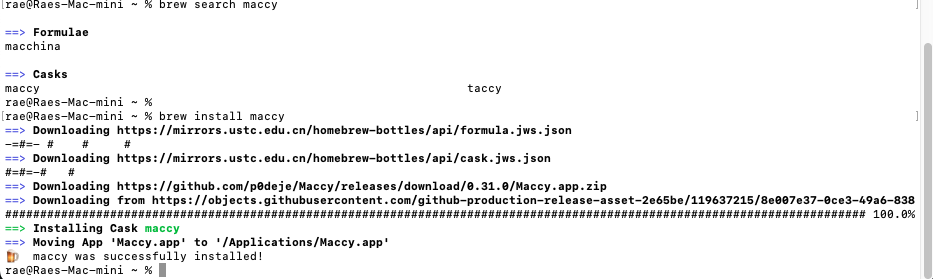
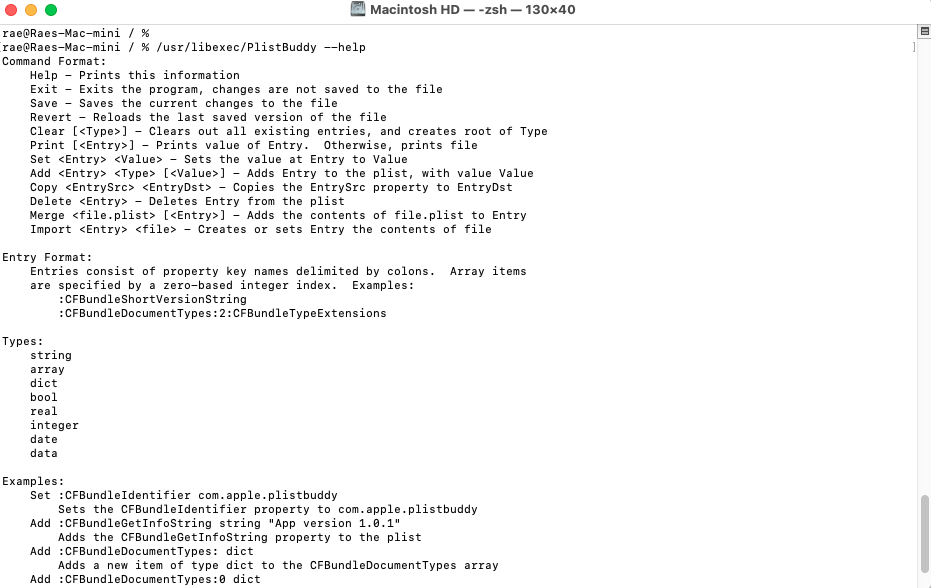
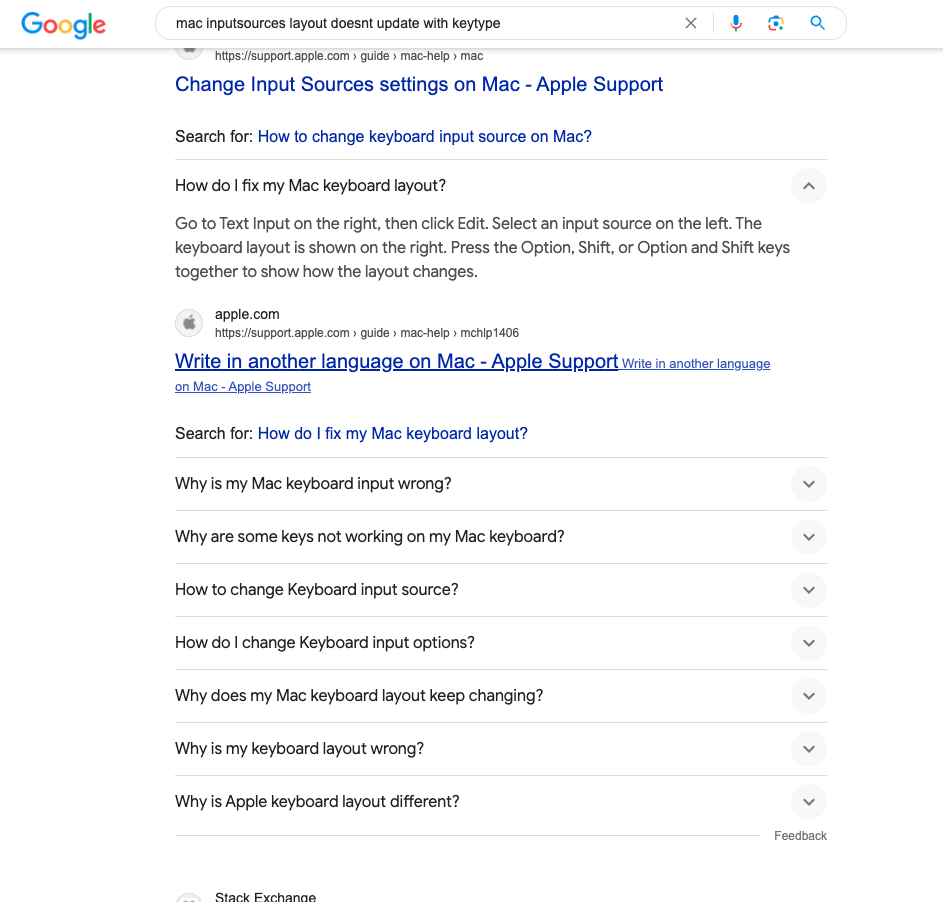
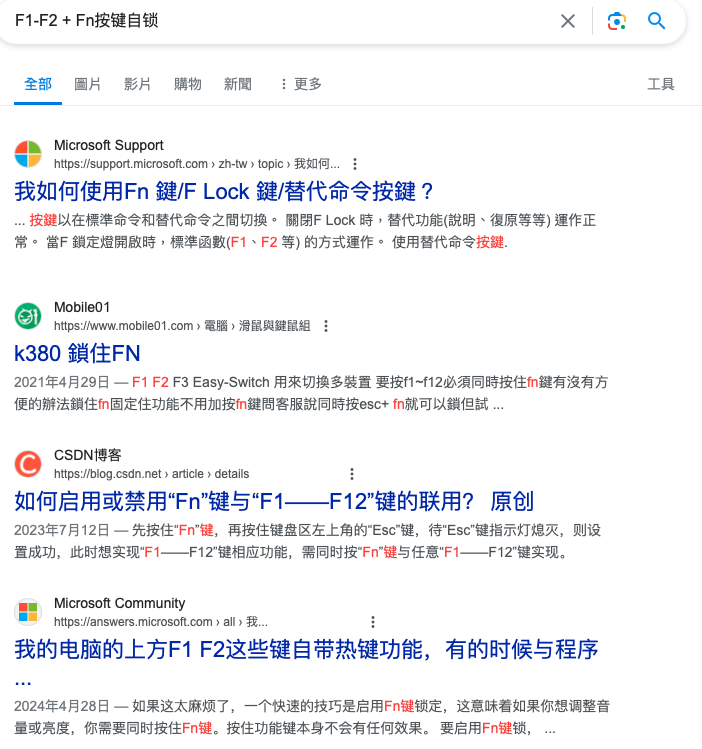
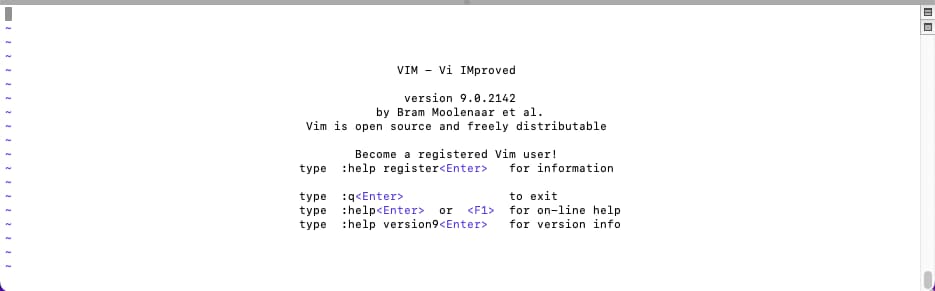
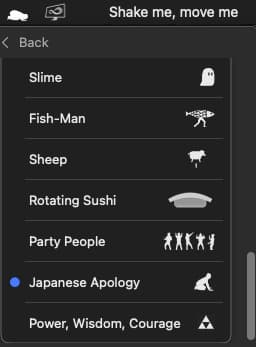
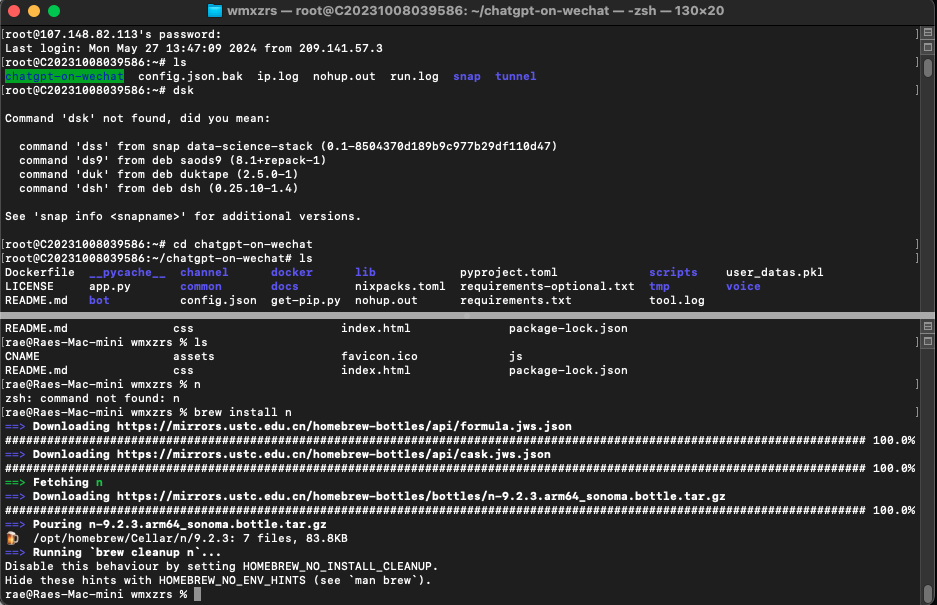
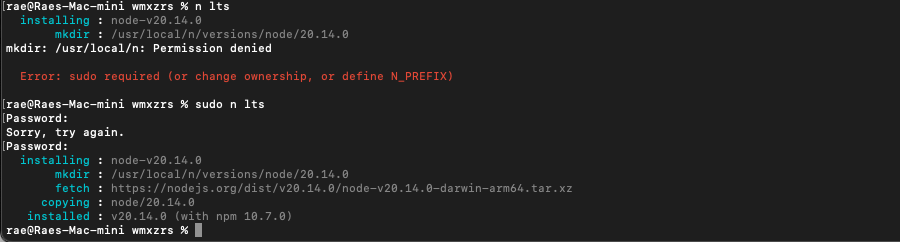
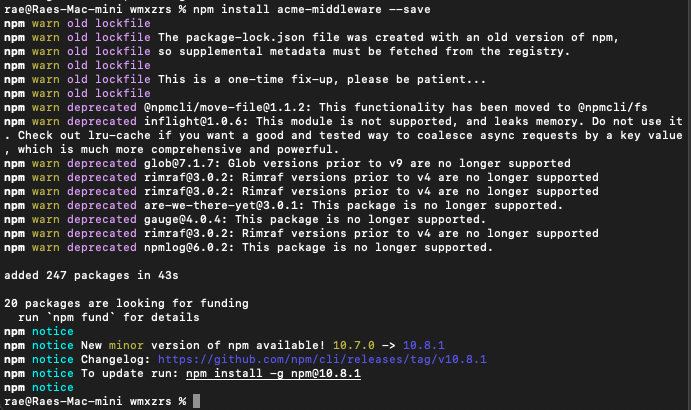
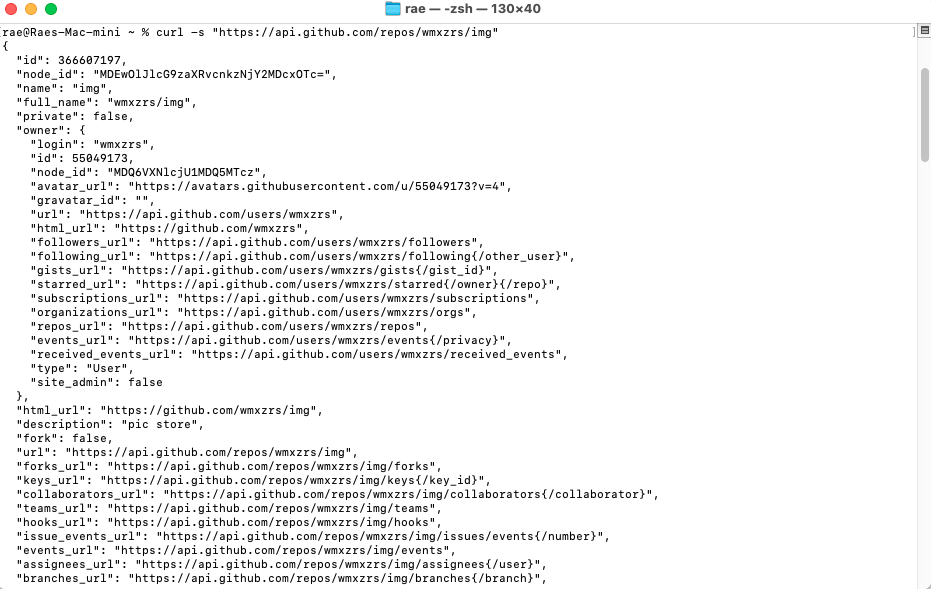
      <![CDATA[<h1>Eligible Enhancement  to increase efficiency</h1><p>Due to costing my plenty of money, so I’ll continuously discovery it. And for building a completely environment, I get some tools for it.</p><p>Totally it’s like this following. It’s called maccy as a tool of clipboard.</p><figure class="highlight bash"><table><tr><td class="code"><pre><span class="line">brew install maccy --cask</span><br></pre></td></tr></table></figure><p>Use the following key to call it.</p><figure class="highlight markdown"><table><tr><td class="code"><pre><span class="line">⇧ + ⌘ + C</span><br></pre></td></tr></table></figure><p><img src="https://cdn.jsdelivr.net/gh/wmxzrs/img@main/uPic/3l5uCa.png" alt="https://cdn.jsdelivr.net/gh/wmxzrs/img@main/uPic/3l5uCa.png"></p><p>There a tool that it could edit .plist file called as PlistBuddy in path <code>/usr/libexec/PlistBuddy</code>.</p><p><img src="https://cdn.jsdelivr.net/gh/wmxzrs/img@main/uPic/tN3ctT.png" alt="https://cdn.jsdelivr.net/gh/wmxzrs/img@main/uPic/tN3ctT.png"></p><hr><p>Fuck!!! It’s totally a son of b***!!!</p><p>To solve this stupid problem which waste my amount of time. Funny joker.</p><p><img src="https://cdn.jsdelivr.net/gh/wmxzrs/img@main/uPic/jWK9Sz.png" alt="https://cdn.jsdelivr.net/gh/wmxzrs/img@main/uPic/jWK9Sz.png"></p><p>To display that specify icons of macOS are command and option.</p><figure class="highlight bash"><table><tr><td class="code"><pre><span class="line">⌘ + ⌥</span><br></pre></td></tr></table></figure><p>Xcode could open .plist file either.</p><p>Scrcpy</p><p>Upic</p><p>/usr/libexec/PlistBuddy --help</p><hr><p>Use default locked-self key Fn to control F1-F12 functional key that it could be used by this combo-key to achieve the effect.</p><figure class="highlight xml"><table><tr><td class="code"><pre><span class="line">Fn + ⇱ </span><br></pre></td></tr></table></figure><p>Which could switch the pattern between Locked-Fn and Unlocked-Fn that effect on F1-F12.</p><p>The results from Google search:</p><p><img src="https://cdn.jsdelivr.net/gh/wmxzrs/img@main/uPic/Screenshot%202024-06-02%20at%204.38.33%E2%80%AFPM.png" alt="https://cdn.jsdelivr.net/gh/wmxzrs/img@main/uPic/Screenshot 2024-06-02 at 4.38.33 PM.png"></p><hr><p>A perfect installation and prune brew:</p><p><img src="https://www.jsdelivr.ren/gh/wmxzrs/picx-images-hosting%40master/Another-Imgs/Screenshot-2024-06-03-at-3.54.17%E2%80%AFPM.1vyhraquo3.jpg" alt="https://www.jsdelivr.ren/gh/wmxzrs/picx-images-hosting%40master/Another-Imgs/Screenshot-2024-06-03-at-3.54.17 PM.1vyhraquo3.jpg"></p><hr><p>About the Usage of vim and nano,</p><p><img src="https://cdn.jsdmirror.com/gh/wmxzrs/picx-images-hosting@master/Another-Imgs/Screenshot-2024-06-05-at-5.06.52%E2%80%AFPM.4uarxqfm1p.jpg" alt="https://cdn.jsdmirror.com/gh/wmxzrs/picx-images-hosting@master/Another-Imgs/Screenshot-2024-06-05-at-5.06.52 PM.4uarxqfm1p.jpg"></p><hr><p>《Japanese apology》</p><p><img src="https://cdn.jsdmirror.com/gh/wmxzrs/picx-images-hosting@master/Another-Imgs/Screenshot-2024-06-05-at-11.49.17%E2%80%AFPM.3yeaioktl5.jpg" alt="https://cdn.jsdmirror.com/gh/wmxzrs/picx-images-hosting@master/Another-Imgs/Screenshot-2024-06-05-at-11.49.17 PM.3yeaioktl5.jpg"></p><hr><p>Nodejs packages management.</p><p>The installation of it is Following:</p><p><img src="https://cdn.jsdelivr.net/gh/wmxzrs/img@main/uPic/hScyrM.png" alt="https://cdn.jsdelivr.net/gh/wmxzrs/img@main/uPic/hScyrM.png"></p><p>And appearing this error about lack of permission:</p><p><img src="https://cdn.jsdelivr.net/gh/wmxzrs/img@main/uPic/Q2eKB4.png" alt="https://cdn.jsdelivr.net/gh/wmxzrs/img@main/uPic/Q2eKB4.png"></p><p>Install acme SSl-Automated machine of npm-package:</p><p><img src="https://cdn.jsdelivr.net/gh/wmxzrs/img@main/uPic/ZoLvGf.png" alt="https://cdn.jsdelivr.net/gh/wmxzrs/img@main/uPic/ZoLvGf.png"></p><hr><p>curl GitHub api lookup storage size of repo</p><p><img src="https://cdn.jsdelivr.net/gh/wmxzrs/img@main/uPic/LNVCO5.png" alt="https://cdn.jsdelivr.net/gh/wmxzrs/img@main/uPic/LNVCO5.png"></p>]]>
    </content>
    <id>https://daemonforu.us.kg/posts/fe8aa14e/</id>
    <link href="https://daemonforu.us.kg/posts/fe8aa14e/"/>
    <published>2024-06-13T06:48:38.000Z</published>
    <summary>From My Notion.</summary>
    <title>Inspired Using of mac</title>
    <updated>2026-10-09T13:05:22.114Z</updated>
  </entry>
  <entry>
    <author>
      <name>Rae</name>
    </author>
    <category term="Thought" scheme="https://daemonforu.us.kg/tags/Thought/"/>
    <content>
      <![CDATA[<h2 id="很多事，只要先去做就会有结果">很多事，只要先去做就会有结果</h2><p>没错，只要去做就会有结果，无论是0或者1，都是一种结果，<br>这也意味着，你在当前进程时会错过另外一些美好的东西，一些想想就会让你觉得错过那些会非常遗憾的潜在的可能。</p><hr><p>另外，辩证的看待它，有舍才有得。虽然我怀抱着这种顾虑从来不想开始以致于“一事无成”。</p><hr><p>似乎全是未知，这样拖似乎也没有什么不好，到最后结果似乎也不一定会很坏。都是可能性。</p><hr><p>坚守自我，自我的输入输出。内在提升。</p>]]>
    </content>
    <id>https://daemonforu.us.kg/posts/201cf631/</id>
    <link href="https://daemonforu.us.kg/posts/201cf631/"/>
    <published>2024-06-08T01:11:38.000Z</published>
    <summary>Got something to believe in.</summary>
    <title>很多事只要去做就好了</title>
    <updated>2026-10-09T13:05:22.114Z</updated>
  </entry>
  <entry>
    <author>
      <name>Rae</name>
    </author>
    <content>
      <![CDATA[<h2 id="to-be-continue…">to be continue…</h2>]]>
    </content>
    <id>https://daemonforu.us.kg/posts/ac283f4f/</id>
    <link href="https://daemonforu.us.kg/posts/ac283f4f/"/>
    <published>2023-10-25T13:52:38.000Z</published>
    <summary>白日</summary>
    <title>2023即将过去</title>
    <updated>2026-10-09T13:05:22.114Z</updated>
  </entry>
  <entry>
    <author>
      <name>Rae</name>
    </author>
    <content>
      <![CDATA[<h2 id="支持网站的“后台”确实该更新了">支持网站的“后台”确实该更新了</h2><p>比较重要的是<code>package.json</code>文件，误删了还得用<code>git reset --hard [commit_id]</code>回退。</p><p>其中，node_moudules中和<code>package.json</code>版本无法对应，导致报错可以用<code>ncu</code>解决；</p><pre><code><figure class="highlight cmake"><table><tr><td class="code"><pre><span class="line">npm <span class="keyword">install</span> npm_check_updates -g</span><br></pre></td></tr></table></figure>**``package.json``和``package-lock.json``区别就在于，后者是前者的补充或者说是具体描述，并且文件字段也略有不同（懒得赘述，抱歉）**</code></pre><h2 id="git-rebase和git-merge"><code>git rebase</code>和<code>git merge</code></h2><p>我在处理长期更新问题时，在GitHub Action中对workflow文件作出了修改。<br>以及我在本地仓库对<code>package.json</code>和<code>package-lock.json</code>文件做出了修改<br>然后本地推送到远程仓库时：</p><pre><code><figure class="highlight vbnet"><table><tr><td class="code"><pre><span class="line"> * branch              main       -&gt; FETCH_HEAD</span><br><span class="line"><span class="symbol">hint:</span> You have divergent branches <span class="built_in">and</span> need <span class="keyword">to</span> specify how <span class="keyword">to</span> reconcile them.</span><br><span class="line"><span class="symbol">hint:</span> You can <span class="keyword">do</span> so <span class="keyword">by</span> running one <span class="keyword">of</span> the following commands sometime before</span><br><span class="line"><span class="symbol">hint:</span> your <span class="keyword">next</span> pull:</span><br><span class="line"><span class="symbol">hint:</span></span><br><span class="line"><span class="symbol">hint:</span>   git config pull.rebase <span class="literal">false</span>  # merge</span><br><span class="line"><span class="symbol">hint:</span>   git config pull.ff only       # fast-forward only</span><br><span class="line"><span class="symbol">hint:</span></span><br><span class="line"><span class="symbol">hint:</span> You can replace <span class="string">&quot;git config&quot;</span> <span class="keyword">with</span> <span class="string">&quot;git config --global&quot;</span> <span class="keyword">to</span> <span class="keyword">set</span> a <span class="keyword">default</span></span><br><span class="line"><span class="symbol">hint:</span> preference <span class="keyword">for</span> all repositories. You can also pass --rebase, --no-rebase,</span><br><span class="line"><span class="symbol">hint:</span> <span class="built_in">or</span> --ff-only <span class="keyword">on</span> the command line <span class="keyword">to</span> override the configured <span class="keyword">default</span> per</span><br><span class="line"><span class="symbol">hint:</span> invocation.</span><br><span class="line"><span class="symbol">fatal:</span> Need <span class="keyword">to</span> specify how <span class="keyword">to</span> reconcile divergent branches.</span><br></pre></td></tr></table></figure>好吧它分叉了，然后我从🐂×的StackOverflow上面找到了答案。仅仅两个图，非常易懂：</code></pre><h3 id="git-rebase"><code>git rebase</code></h3><pre><code>    ... o ---- o ---- A ---- B  origin/main (upstream work)                      \                       C'  main (your work)</code></pre><h3 id="git-merge"><code>git merge</code></h3><pre><code>    ... o ---- o ---- A ---- B  origin/main (upstream work)               \      \                C ---- M  main (your work) 确实厉害~它在这儿: https://stackoverflow.com/a/2452610</code></pre>]]>
    </content>
    <id>https://daemonforu.us.kg/posts/a58a4c38/</id>
    <link href="https://daemonforu.us.kg/posts/a58a4c38/"/>
    <published>2023-06-26T17:52:38.000Z</published>
    <summary>所得水中月</summary>
    <title>long-support-update actions</title>
    <updated>2026-10-09T13:05:22.114Z</updated>
  </entry>
  <entry>
    <author>
      <name>Rae</name>
    </author>
    <category term="Thoughts" scheme="https://daemonforu.us.kg/tags/Thoughts/"/>
    <content>
      <![CDATA[<p>我没有一点情绪上的不稳定，这比我日常生活人际交流中受挫还不如<br>只是，后怕是有的。<br>车主说了这么一句话，你不应该这么年轻就丢掉生命。让我害怕的是这个。<br>我发现我真的没那么难搞，对于争取自己的利益上很佛系，毫不在意。<br>我害怕我就这么丢掉生命，但是也只是后怕。<br>不在意还是不在意。总之，我没事。除了一点皮外伤和变形的车子。晚安💤</p>]]>
    </content>
    <id>https://daemonforu.us.kg/posts/9859c9a/</id>
    <link href="https://daemonforu.us.kg/posts/9859c9a/"/>
    <published>2023-04-15T22:24:49.000Z</published>
    <summary>在那一瞬间我的大脑是茫然空白的。或者说只有一个念头，被车撞了</summary>
    <title>生命</title>
    <updated>2026-10-09T13:05:22.114Z</updated>
  </entry>
  <entry>
    <author>
      <name>Rae</name>
    </author>
    <category term="events" scheme="https://daemonforu.us.kg/tags/events/"/>
    <content>
      <![CDATA[<p>唯一的问题是自我的挣扎，不接受自己，否则我无法迈出任何一步直到消磨殆尽</p>]]>
    </content>
    <id>https://daemonforu.us.kg/posts/3e62f44f/</id>
    <link href="https://daemonforu.us.kg/posts/3e62f44f/"/>
    <published>2023-04-11T11:30:01.000Z</published>
    <summary>i chase the sun waiting for a light that never comes.</summary>
    <title>如果生活还没能改变你，那你已经失败了</title>
    <updated>2026-10-09T13:05:22.114Z</updated>
  </entry>
  <entry>
    <author>
      <name>Rae</name>
    </author>
    <category term="Thoughts" scheme="https://daemonforu.us.kg/tags/Thoughts/"/>
    <content>
      <![CDATA[<p>我崇尚孤独和自由，但是没有想到代价是那么沉重。<br>我的性格变得孤僻，对生活和除了生活之外的一些重要的事情也显得索然无味。</p><p>没有灵魂的在活着。所说的话语和所做的事情——整体对外显现出来的都是苍白无力。<br>也或者我从来都没有真正的为自己而活。</p>]]>
    </content>
    <id>https://daemonforu.us.kg/posts/7c681e98/</id>
    <link href="https://daemonforu.us.kg/posts/7c681e98/"/>
    <published>2023-04-09T23:38:49.000Z</published>
    <summary>昏暗的房间里各种声音在交和喧嚣，但是我却觉得安静至极，如鲠在喉</summary>
    <title>No soul alive</title>
    <updated>2026-10-09T13:05:22.114Z</updated>
  </entry>
  <entry>
    <author>
      <name>Rae</name>
    </author>
    <content>
      <![CDATA[<p>再次回来，已经是这个时候了。<br>我想我想要倾诉的地方，怎么能轻易丢掉呢；我想要做的事情……</p><p>我的心理发生了一些变化，或者说对从前有了些许认知。我希望以后自己好起来。<br>正常的好起来。</p>]]>
    </content>
    <id>https://daemonforu.us.kg/posts/465c22e0/</id>
    <link href="https://daemonforu.us.kg/posts/465c22e0/"/>
    <published>2023-04-06T23:10:22.000Z</published>
    <summary>
      <![CDATA[<p>再次回来，已经是这个时候了。<br>
我想我想要倾诉的地方，怎么能轻易丢掉呢；我想要做的事情……</p>
<p>我的心理发生了一些变化，或者说对从前有了些许认知。我希望以后自己好起来。<br>
正常的好起来。</p>]]>
    </summary>
    <title>再度回来</title>
    <updated>2026-10-09T13:05:22.114Z</updated>
  </entry>
  <entry>
    <author>
      <name>Rae</name>
    </author>
    <content>
      <![CDATA[<h2 id="为git仓库指定ssh秘钥">为git仓库指定ssh秘钥</h2><p>除了要修改对应的ssh config外，设置别名，<br>还需要修改git仓库的远程地址，将对应的地址或域名<br>改为对应的host alias<br><code>git@host_alias:username:reponame</code></p>]]>
    </content>
    <id>https://daemonforu.us.kg/posts/4f8e1ea7/</id>
    <link href="https://daemonforu.us.kg/posts/4f8e1ea7/"/>
    <published>2023-01-01T17:52:38.000Z</published>
    <summary>
      <![CDATA[<h2 id="为git仓库指定ssh秘钥">为git仓库指定ssh秘钥</h2>
<p>除了要修改对应的ssh config外，设置别名，<br>
还需要修改git仓库的远程地址，将对应的地址或域名<br>
改为对应的host alias<br>
<code>git@host_]]>
    </summary>
    <title>
      <![CDATA[ssh&git]]>
    </title>
    <updated>2026-10-09T13:05:22.114Z</updated>
  </entry>
  <entry>
    <author>
      <name>Rae</name>
    </author>
    <category term="github action" scheme="https://daemonforu.us.kg/categories/github-action/"/>
    <category term="Record" scheme="https://daemonforu.us.kg/tags/Record/"/>
    <category term="workflow" scheme="https://daemonforu.us.kg/tags/workflow/"/>
    <content>
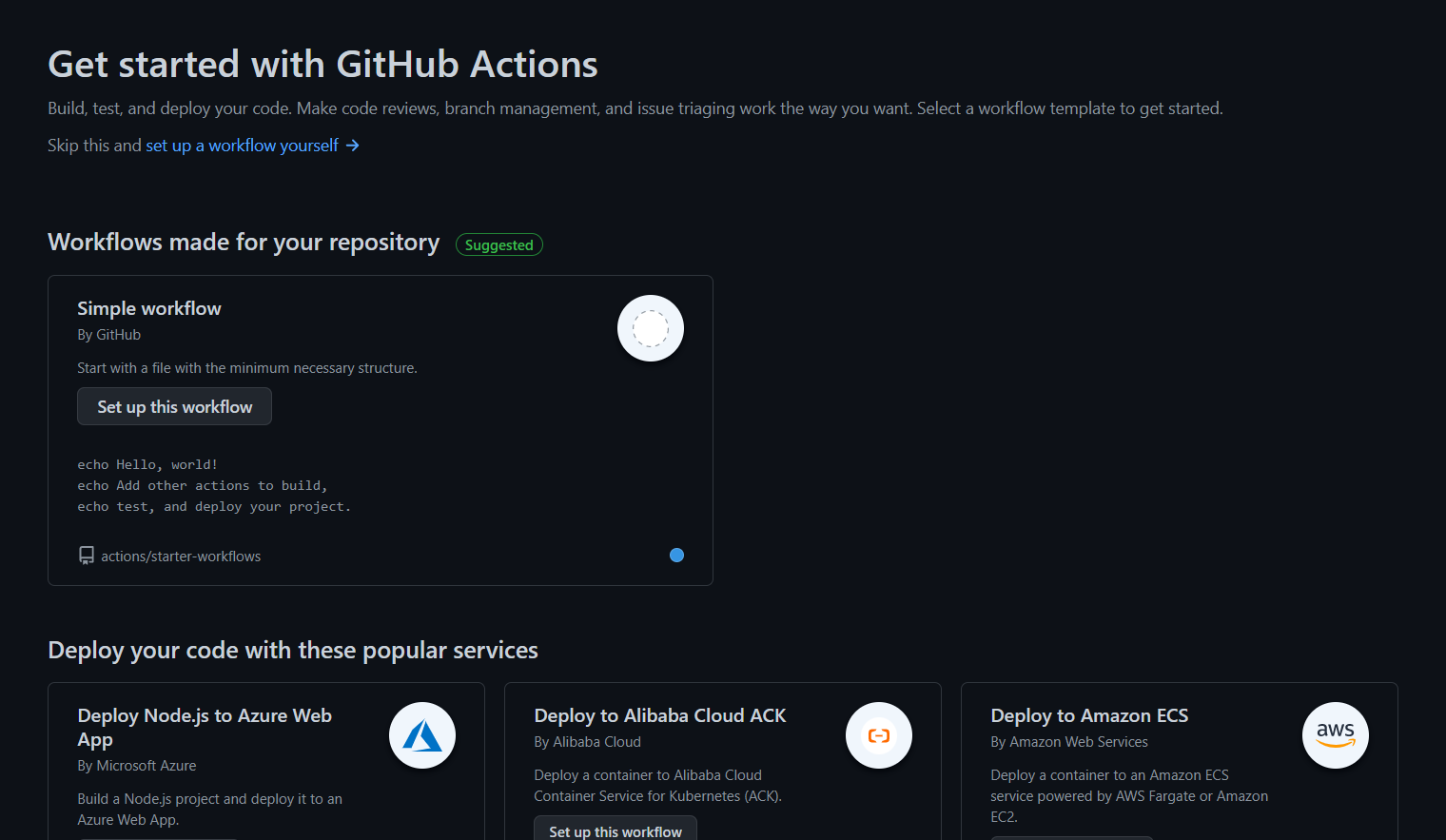
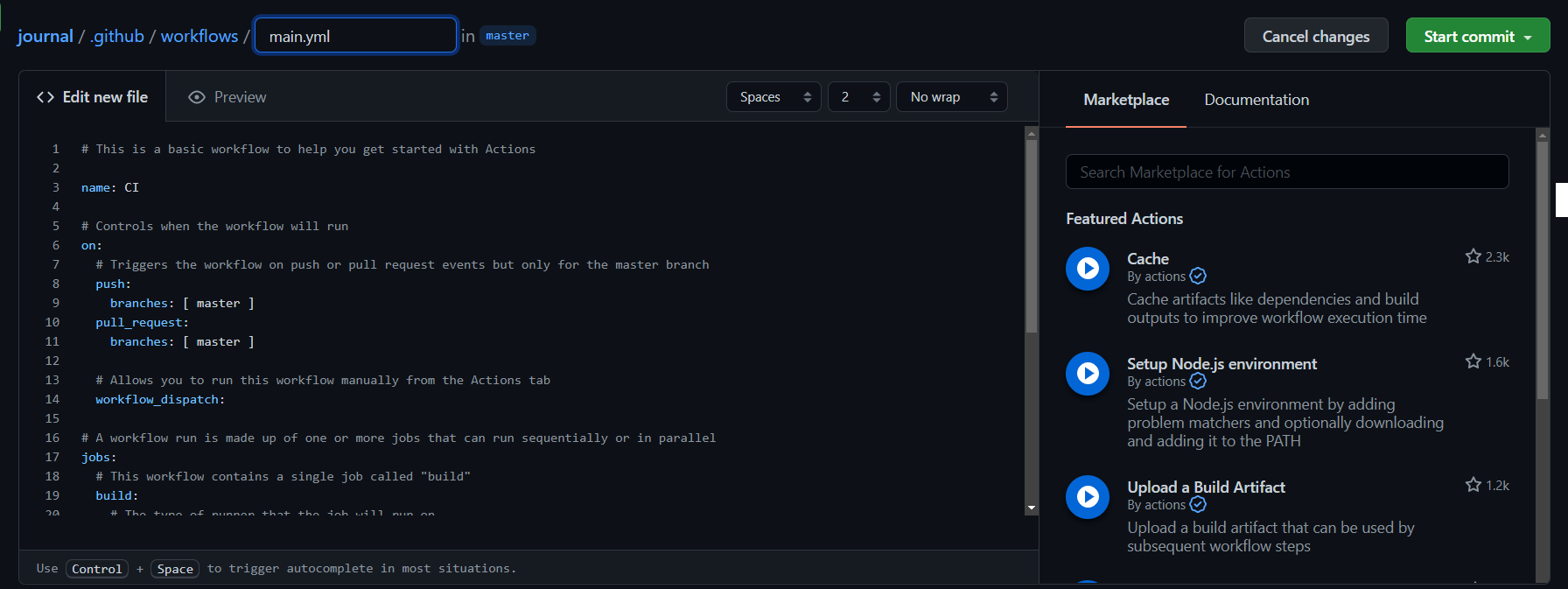
      <![CDATA[<h2 id="Github-workflow">Github workflow</h2><p><em><strong>这个真的是太香了，github官方集成CI/CD工作流，自动化部署流程。我目前只用它部署了博客。</strong></em></p><p>⨠ Action 在存储库中<code>.github/workflows</code>下创建新的<code>yml</code>文件</p><p>可以自己创建，也可以使用模板</p><p><img src="https://cdn.jsdelivr.net/gh/wmxzrs/img/img/202111141734160.png" alt="alt"></p><p>这里选择自己创建的</p><p><img src="https://cdn.jsdelivr.net/gh/wmxzrs/img/img/202111141736193.png" alt="alt"></p><p><em><strong>右侧是他人封装的通用的模块和github action文档，可以使用<code>uses: &lt;module&gt;调用</code></strong></em></p><h2 id="我的配置">我的配置</h2><figure class="highlight yml"><table><tr><td class="code"><pre><span class="line"><span class="attr">name:</span> <span class="string">auto</span> <span class="string">deploy</span></span><br><span class="line"><span class="attr">env:</span> </span><br><span class="line">   <span class="attr">GITHUB_USER:</span> <span class="string">wmxzrs</span></span><br><span class="line">   <span class="attr">GITHUB_REPO:</span> <span class="string">github.com/wmxzrs/blog</span></span><br><span class="line">   <span class="attr">THEME_REPO:</span> <span class="string">themes/yun</span></span><br><span class="line">  </span><br><span class="line"><span class="attr">on:</span></span><br><span class="line">  <span class="attr">push:</span></span><br><span class="line">    <span class="attr">branches:</span></span><br><span class="line">      <span class="bullet">-</span> <span class="string">main</span></span><br><span class="line">      </span><br><span class="line"><span class="attr">jobs:</span></span><br><span class="line">  <span class="attr">build:</span></span><br><span class="line">    <span class="attr">runs-on:</span> <span class="string">ubuntu-latest</span></span><br><span class="line">    <span class="attr">steps:</span></span><br><span class="line">        <span class="bullet">-</span> <span class="attr">name:</span> <span class="string">set</span> <span class="string">time</span> <span class="string">zone</span></span><br><span class="line">          <span class="attr">run:</span> <span class="string">|</span></span><br><span class="line"><span class="string">            cp /usr/share/zoneinfo/Asia/Shanghai /etc/localtime</span></span><br><span class="line"><span class="string"></span>        <span class="bullet">-</span> <span class="attr">name:</span> <span class="string">checkout</span> <span class="string">source</span></span><br><span class="line">          <span class="attr">uses:</span> <span class="string">actions/checkout@v2</span></span><br><span class="line">        <span class="bullet">-</span> <span class="attr">name:</span> <span class="string">setup</span> <span class="string">nodejs</span></span><br><span class="line">          <span class="attr">uses:</span> <span class="string">actions/setup-node@v1</span></span><br><span class="line">          <span class="attr">with:</span></span><br><span class="line">            <span class="attr">node-version:</span> <span class="string">&quot;14.15.5&quot;</span></span><br><span class="line">        <span class="bullet">-</span> <span class="attr">name:</span> <span class="string">setup</span> <span class="string">nodejs</span> <span class="string">environment</span></span><br><span class="line">          <span class="attr">run:</span> <span class="string">|</span></span><br><span class="line"><span class="string">            npm install hexo-cli -g</span></span><br><span class="line"><span class="string">            npm ci</span></span><br><span class="line"><span class="string"></span>        <span class="bullet">-</span> <span class="attr">name:</span> <span class="string">generate</span> <span class="string">pages</span></span><br><span class="line">          <span class="attr">run:</span> <span class="string">|</span></span><br><span class="line"><span class="string">            hexo generate</span></span><br><span class="line"><span class="string">            ls -R public/</span></span><br><span class="line"><span class="string"></span>        <span class="bullet">-</span> <span class="attr">name:</span> <span class="string">deploy</span> <span class="string">part</span></span><br><span class="line">          <span class="attr">env:</span> </span><br><span class="line">            <span class="attr">HEXO_DEPLOY_KEY:</span> <span class="string">$&#123;&#123;</span> <span class="string">secrets.HEXO_DEPLOY_KEY</span> <span class="string">&#125;&#125;</span></span><br><span class="line">            <span class="attr">GITHUB_USER:</span> <span class="string">wmxzrs</span></span><br><span class="line">            <span class="attr">DEPLOY_REPO:</span> <span class="string">wmxzrs/blog</span></span><br><span class="line">          <span class="attr">run:</span> <span class="string">|</span></span><br><span class="line"><span class="string">             git config --global init.defaultBranch main</span></span><br><span class="line"><span class="string">             cd ./public&amp;&amp; git init &amp;&amp; git add .</span></span><br><span class="line"><span class="string">             git config user.name &quot;wmxzrs&quot;</span></span><br><span class="line"><span class="string">             git config user.email &quot;wmxzrs@outlook.com&quot;</span></span><br><span class="line"><span class="string">             git remote add origin https://$GITHUB_USER:$HEXO_DEPLOY_KEY@github.com/wmxzrs/blog.git</span></span><br><span class="line"><span class="string">             git remote -v</span></span><br><span class="line"><span class="string">             git commit -m &quot;GITHUB ACTION AUTO DEPLOY at $(date)&quot;</span></span><br><span class="line"><span class="string">             git push origin --force main:main</span></span><br></pre></td></tr></table></figure><p>⨠<code>yml</code>语法就不多叙述了:smile:，可以看一下<a href="https://learnxinyminutes.com/docs/yaml/">Learn X In Y Minutes</a></p><h3 id="rose-流程图">:rose:流程图</h3><figure class="highlight plaintext"><table><tr><td class="code"><pre><span class="line">st=&gt;start: push触发</span><br><span class="line">op=&gt;inputoutput: 资源checkout</span><br><span class="line">e=&gt;end: 结束</span><br><span class="line">op1=&gt;operation: 环境配置</span><br><span class="line">op2=&gt;operation: auth</span><br><span class="line">op3=&gt;operation: build&amp;commit</span><br><span class="line">out=&gt;inputoutput: push(public)</span><br><span class="line"></span><br><span class="line">st-&gt;op-&gt;op1-&gt;op2-&gt;op3</span><br><span class="line">op3-&gt;out</span><br><span class="line">out-&gt;e</span><br></pre></td></tr></table></figure><h3 id="eyes-含义和注释">:eyes:含义和注释</h3><p>⨠在配置中:</p><table><thead><tr><th style="text-align:center">item</th><th style="text-align:center">meaning</th></tr></thead><tbody><tr><td style="text-align:center">name</td><td style="text-align:center">自定义步骤名称</td></tr><tr><td style="text-align:center">on</td><td style="text-align:center">触发条件</td></tr><tr><td style="text-align:center">run</td><td style="text-align:center">运行命令</td></tr><tr><td style="text-align:center">`</td><td style="text-align:center">`</td></tr><tr><td style="text-align:center">uses</td><td style="text-align:center">引入，使用</td></tr><tr><td style="text-align:center">with</td><td style="text-align:center">附带参数</td></tr><tr><td style="text-align:center">env</td><td style="text-align:center">环境变量</td></tr></tbody></table><p>官方文档看着头痛，这是个人理解，不严谨仅供参阅 :book:</p><hr><h2 id="要注意的地方">要注意的地方</h2><ul><li><p><code>token</code>的使用</p><ul><li>如果使用<code>access_token</code>推送你的博客的话，要将<code>remote</code>改为<code>https</code>的方式<br><code>git remote set-url origin https:$github_user_name:$github_token@github.com/$github_user_name/$github_repo.git</code></li><li>如果没有<code>remote</code>可以直接添加<br><code>git remote add origin https:$github_user_name:$github_token@github.com/$github_user_name/$github_repo.git</code></li></ul></li><li><p>配置中<code>npm ci</code>会移除<code>node_modules</code>但是不会改变<code>package.json</code>，并按照json文件将所有的包配置好。</p></li></ul>]]>
    </content>
    <id>https://daemonforu.us.kg/posts/e05fd2da/</id>
    <link href="https://daemonforu.us.kg/posts/e05fd2da/"/>
    <published>2021-11-14T13:53:12.000Z</published>
    <summary>博客过于依赖本地环境，测试github action自动部署成功了，之后只需要更改source下的文件就可以自动部署了</summary>
    <title>Github Action</title>
    <updated>2026-10-09T13:05:22.114Z</updated>
  </entry>
  <entry>
    <author>
      <name>Rae</name>
    </author>
    <category term="ssh" scheme="https://daemonforu.us.kg/categories/ssh/"/>
    <content>
      <![CDATA[<p>今天是立冬，闲暇之余来更新一下。不过，不知不觉已经是深秋的深秋了。</p><p><img src="https://cdn.jsdelivr.net/gh/wmxzrs/img/img/202110280633293.jpeg" alt="alt"></p><h3 id="ssh环境">ssh环境</h3><p>目前装的是Windows11系统，在控制面板、程序和功能中并没有<code>openssh</code>相关的功能可以安装，但是在<code>windows\system32\openssh</code>自带。</p><p>在windows terminal中  <code>ssh -V</code>  查看版本为</p><p><code>OpenSSH_for_Windows_8.1p1, LibreSSL 3.0.2</code></p><p>在Gitbash中查看的版本号是</p><p><code>OpenSSH_8.8p1, OpenSSL 1.1.1l  24 Aug 2021</code></p><p>目前在用<code>scoop</code>作为windows下包管理器。(之后会为scoop写一篇使用心得以及注意事项)<br>用scoop包管理器下载了<code>git-with-ssh</code>,并重新安装了Gitbash<br>安装过程中；其中一项是使用<code>bundled openssh</code>还是自己选择已有openssh组件。这里为了区别scoop安装的git-with-ssh选择windows自带的openssh。</p><h3 id="错误输出">错误输出</h3><p>现在问题是，在windows terminal中可以正常的ssh到gitee仓库</p><figure class="highlight plaintext"><table><tr><td class="code"><pre><span class="line">C:\Users\tokiame&gt;ssh -vT git@gitee.com</span><br><span class="line">OpenSSH_for_Windows_8.1p1, LibreSSL 3.0.2</span><br><span class="line">debug1: Reading configuration data C:\\Users\\tokiame/.ssh/config</span><br><span class="line">debug1: C:\\Users\\tokiame/.ssh/config line 8: Applying options for gitee.com</span><br><span class="line">debug1: C:\\Users\\tokiame/.ssh/config line 14: Applying options for gitee.com</span><br><span class="line">debug1: Reading configuration data __PROGRAMDATA__\\ssh/ssh_config</span><br><span class="line">debug1: Connecting to gitee.com [180.97.125.228] port 22.</span><br><span class="line">debug1: Connection established.</span><br><span class="line">debug1: identity file C:\\Users\\tokiame/.ssh/gitee2 type 0</span><br><span class="line">debug1: identity file C:\\Users\\tokiame/.ssh/gitee2-cert type -1</span><br><span class="line">debug1: Local version string SSH-2.0-OpenSSH_for_Windows_8.1</span><br><span class="line">debug1: Remote protocol version 2.0, remote software version ssh-pilot-1.1.1</span><br><span class="line">debug1: no match: ssh-pilot-1.1.1</span><br><span class="line">debug1: Authenticating to gitee.com:22 as &#x27;git&#x27;</span><br><span class="line">debug1: SSH2_MSG_KEXINIT sent</span><br><span class="line">debug1: SSH2_MSG_KEXINIT received</span><br><span class="line">debug1: kex: algorithm: curve25519-sha256@libssh.org</span><br><span class="line">debug1: kex: host key algorithm: ecdsa-sha2-nistp256</span><br><span class="line">debug1: kex: server-&gt;client cipher: chacha20-poly1305@openssh.com MAC: &lt;implicit&gt; compression: none</span><br><span class="line">debug1: kex: client-&gt;server cipher: chacha20-poly1305@openssh.com MAC: &lt;implicit&gt; compression: none</span><br><span class="line">debug1: expecting SSH2_MSG_KEX_ECDH_REPLY</span><br><span class="line">debug1: Server host key: ecdsa-sha2-nistp256 SHA256:FQGC9Kn/eye1W8icdBgrQp+KkGYoFgbVr17bmjey0Wc</span><br><span class="line">debug1: Host &#x27;gitee.com&#x27; is known and matches the ECDSA host key.</span><br><span class="line">debug1: Found key in C:\\Users\\tokiame/.ssh/known_hosts:7</span><br><span class="line">debug1: rekey out after 134217728 blocks</span><br><span class="line">debug1: SSH2_MSG_NEWKEYS sent</span><br><span class="line">debug1: expecting SSH2_MSG_NEWKEYS</span><br><span class="line">debug1: SSH2_MSG_NEWKEYS received</span><br><span class="line">debug1: rekey in after 134217728 blocks</span><br><span class="line">debug1: pubkey_prepare: ssh_get_authentication_socket: No such file or directory</span><br><span class="line">debug1: Will attempt key: C:\\Users\\tokiame/.ssh/gitee2 RSA SHA256:rIZHg29jb9LsC0yONv5Yexclgto8mwvc0dTX1S+WABY explicit</span><br><span class="line">debug1: SSH2_MSG_SERVICE_ACCEPT received</span><br><span class="line">debug1: Authentications that can continue: publickey</span><br><span class="line">debug1: Next authentication method: publickey</span><br><span class="line">debug1: Offering public key: C:\\Users\\tokiame/.ssh/gitee2 RSA SHA256:rIZHg29jb9LsC0yONv5Yexclgto8mwvc0dTX1S+WABY explicit</span><br><span class="line">debug1: Server accepts key: C:\\Users\\tokiame/.ssh/gitee2 RSA SHA256:rIZHg29jb9LsC0yONv5Yexclgto8mwvc0dTX1S+WABY explicit</span><br><span class="line">debug1: Authentication succeeded (publickey).</span><br><span class="line">Authenticated to gitee.com ([180.97.125.228]:22).</span><br><span class="line">debug1: channel 0: new [client-session]</span><br><span class="line">debug1: Entering interactive session.</span><br><span class="line">debug1: pledge: network</span><br><span class="line">debug1: client_input_channel_req: channel 0 rtype exit-status reply 0</span><br><span class="line">Hi RaymonWang! You&#x27;ve successfully authenticated, but GITEE.COM does not provide shell access.</span><br><span class="line">debug1: channel 0: free: client-session, nchannels 1</span><br><span class="line">Transferred: sent 3392, received 1708 bytes, in 0.1 seconds</span><br></pre></td></tr></table></figure><p>而在Gitbash中却总是抛出<code>permission denied (publickey)</code></p><figure class="highlight plaintext"><table><tr><td class="code"><pre><span class="line">ssh -vT git@gitee.com</span><br><span class="line">OpenSSH_8.8p1, OpenSSL 1.1.1l  24 Aug 2021</span><br><span class="line">debug1: Reading configuration data /c/Users/tokiame/.ssh/config</span><br><span class="line">debug1: /c/Users/tokiame/.ssh/config line 8: Applying options for gitee.com</span><br><span class="line">debug1: /c/Users/tokiame/.ssh/config line 14: Applying options for gitee.com</span><br><span class="line">debug1: Reading configuration data /etc/ssh/ssh_config</span><br><span class="line">debug1: Connecting to gitee.com [180.97.125.228] port 22.</span><br><span class="line">debug1: Connection established.</span><br><span class="line">debug1: identity file /c/Users/tokiame/.ssh/gitee2 type 0</span><br><span class="line">debug1: identity file /c/Users/tokiame/.ssh/gitee2-cert type -1</span><br><span class="line">debug1: Local version string SSH-2.0-OpenSSH_8.8</span><br><span class="line">debug1: Remote protocol version 2.0, remote software version ssh-pilot-1.1.1</span><br><span class="line">debug1: compat_banner: no match: ssh-pilot-1.1.1</span><br><span class="line">debug1: Authenticating to gitee.com:22 as &#x27;git&#x27;</span><br><span class="line">debug1: load_hostkeys: fopen /etc/ssh/ssh_known_hosts: No such file or directory</span><br><span class="line">debug1: load_hostkeys: fopen /etc/ssh/ssh_known_hosts2: No such file or directory</span><br><span class="line">debug1: SSH2_MSG_KEXINIT sent</span><br><span class="line">debug1: SSH2_MSG_KEXINIT received</span><br><span class="line">debug1: kex: algorithm: curve25519-sha256@libssh.org</span><br><span class="line">debug1: kex: host key algorithm: ecdsa-sha2-nistp256</span><br><span class="line">debug1: kex: server-&gt;client cipher: chacha20-poly1305@openssh.com MAC: &lt;implicit&gt; compression: none</span><br><span class="line">debug1: kex: client-&gt;server cipher: chacha20-poly1305@openssh.com MAC: &lt;implicit&gt; compression: none</span><br><span class="line">debug1: expecting SSH2_MSG_KEX_ECDH_REPLY</span><br><span class="line">debug1: SSH2_MSG_KEX_ECDH_REPLY received</span><br><span class="line">debug1: Server host key: ecdsa-sha2-nistp256 SHA256:FQGC9Kn/eye1W8icdBgrQp+KkGYoFgbVr17bmjey0Wc</span><br><span class="line">debug1: load_hostkeys: fopen /etc/ssh/ssh_known_hosts: No such file or directory</span><br><span class="line">debug1: load_hostkeys: fopen /etc/ssh/ssh_known_hosts2: No such file or directory</span><br><span class="line">debug1: Host &#x27;gitee.com&#x27; is known and matches the ECDSA host key.</span><br><span class="line">debug1: Found key in /c/Users/tokiame/.ssh/known_hosts:7</span><br><span class="line">debug1: rekey out after 134217728 blocks</span><br><span class="line">debug1: SSH2_MSG_NEWKEYS sent</span><br><span class="line">debug1: expecting SSH2_MSG_NEWKEYS</span><br><span class="line">debug1: SSH2_MSG_NEWKEYS received</span><br><span class="line">debug1: rekey in after 134217728 blocks</span><br><span class="line">debug1: Will attempt key: /c/Users/tokiame/.ssh/gitee2 RSA SHA256:rIZHg29jb9LsC0yONv5Yexclgto8mwvc0dTX1S+WABY explicit</span><br><span class="line">debug1: SSH2_MSG_SERVICE_ACCEPT received</span><br><span class="line">debug1: Authentications that can continue: publickey</span><br><span class="line">debug1: Next authentication method: publickey</span><br><span class="line">debug1: Offering public key: /c/Users/tokiame/.ssh/gitee2 RSA SHA256:rIZHg29jb9LsC0yONv5Yexclgto8mwvc0dTX1S+WABY explicit</span><br><span class="line">debug1: send_pubkey_test: no mutual signature algorithm</span><br><span class="line">debug1: No more authentication methods to try.</span><br><span class="line">git@gitee.com: Permission denied (publickey).</span><br></pre></td></tr></table></figure><h3 id="过程">过程</h3><p>猜想是，从下面几个方面着手：</p><ul><li>ssh配置问题</li><li>windows自带openssh和git-with-openssh冲突？</li></ul><p>ssh配置问题上折腾了很久，值得注意的是ssh配置路径<code>~/.ssh/config</code>以及<code>/etc/ssh/ssh_config|sshd_config</code></p><p>下面是我的<code>~/.ssh/config</code>配置：</p><figure class="highlight plaintext"><table><tr><td class="code"><pre><span class="line">Host gitee.com</span><br><span class="line">HostName gitee.com</span><br><span class="line">IdentityFile ~/.ssh/gitee</span><br><span class="line">PreferredAuthentications publickey</span><br><span class="line">User git</span><br><span class="line"></span><br><span class="line">Host gitee.com</span><br><span class="line">HostName gitee.com</span><br><span class="line">IdentityFile ~/.ssh/gitee2</span><br><span class="line">PreferredAuthentications publickey</span><br><span class="line">User git</span><br><span class="line"></span><br><span class="line"># this is tested three times for git-with-openssh</span><br><span class="line"></span><br><span class="line">Host github.com</span><br><span class="line">HostName github.com</span><br><span class="line">IdentityFile  ~/.ssh/id_rsa</span><br><span class="line">PreferredAuthentications publickey</span><br><span class="line">User wmxzrs@outlook.com</span><br><span class="line"></span><br><span class="line">Host wmcrimson</span><br><span class="line">HostName github.com</span><br><span class="line">IdentityFile ~/.ssh/id_desk</span><br><span class="line">PreferredAuthentications publickey</span><br><span class="line">User git</span><br><span class="line"></span><br><span class="line">Host myphone</span><br><span class="line">HostName  10.19.137.171</span><br><span class="line">IdentityFile ~/.ssh/20211107</span><br><span class="line">PreferredAuthentications publickey</span><br><span class="line">User root</span><br></pre></td></tr></table></figure><p>折腾配置无果，在网上谷歌相关的帖子和教程</p><p><a href="https://gitee.com/oschina/git-osc/issues/I35AYM?skip_mobile=true">找到了一篇让我醍醐灌顶</a> 帖子中，已经明确了解决方法。</p><p>原因就是<code>openssh</code>版本问题😥。（这真是太让人头秃了，哭笑不得）</p><p>于是我就去看了<code>openssh</code>官方release</p><figure class="highlight markdown"><table><tr><td class="code"><pre><span class="line"><span class="section">Future deprecation notice</span></span><br><span class="line"><span class="section">=========================</span></span><br><span class="line"></span><br><span class="line">It is now possible[1] to perform chosen-prefix attacks against the</span><br><span class="line">SHA-1 hash algorithm for less than USD$50K. For this reason, we will</span><br><span class="line">be disabling the &quot;ssh-rsa&quot; public key signature algorithm that depends</span><br><span class="line">on SHA-1 by default in a near-future release.</span><br><span class="line"></span><br><span class="line">This algorithm is unfortunately still used widely despite the</span><br><span class="line">existence of better alternatives, being the only remaining public key</span><br><span class="line">signature algorithm specified by the original SSH RFCs.</span><br><span class="line"></span><br><span class="line">The better alternatives include:</span><br><span class="line"></span><br><span class="line"><span class="bullet"> *</span> The RFC8332 RSA SHA-2 signature algorithms rsa-sha2-256/512. These</span><br><span class="line">   algorithms have the advantage of using the same key type as</span><br><span class="line">   &quot;ssh-rsa&quot; but use the safe SHA-2 hash algorithms. These have been</span><br><span class="line">   supported since OpenSSH 7.2 and are already used by default if the</span><br><span class="line">   client and server support them.</span><br><span class="line"></span><br><span class="line"><span class="bullet"> *</span> The ssh-ed25519 signature algorithm. It has been supported in</span><br><span class="line">   OpenSSH since release 6.5.</span><br><span class="line"></span><br><span class="line"><span class="bullet"> *</span> The RFC5656 ECDSA algorithms: ecdsa-sha2-nistp256/384/521. These</span><br><span class="line">   have been supported by OpenSSH since release 5.7.</span><br></pre></td></tr></table></figure><p><img src="https://cdn.jsdelivr.net/gh/wmxzrs/img/img/1635372997088.jpeg" alt="alt"></p><p>（so？问题呢就这？官方都弃用了还能说啥……）</p>]]>
    </content>
    <id>https://daemonforu.us.kg/posts/7231e867/</id>
    <link href="https://daemonforu.us.kg/posts/7231e867/"/>
    <published>2021-11-07T20:52:07.000Z</published>
    <summary>最近在琢磨内网穿透的搭建，使用闲置设备作为远程服务器。但是在ssh连接的时候出现一些意外——ssh无法连接我的gitee存储库了（好吧，两者并没有什么关系，这个意外只是意外发现的。属于side bug简称SB）</summary>
    <title>git-with-openssh log</title>
    <updated>2026-10-09T13:05:22.114Z</updated>
  </entry>
  <entry>
    <author>
      <name>Rae</name>
    </author>
    <category term="CSS" scheme="https://daemonforu.us.kg/categories/CSS/"/>
    <category term="Record" scheme="https://daemonforu.us.kg/tags/Record/"/>
    <content>
      <![CDATA[<h2 id="CSS选择器类型">CSS选择器类型</h2><p>1、通用选择器</p><p>语法：<code>* { attr: value;}</code></p><p>Tip:伪类元素<code>:root</code>也有类似额效果，在其中声明自定义变量，然后在CSS文档全局使用；语法：<code>:root { --variable-attr: value;}</code>,调用语法：<code>{ attr: var(--variable-attr);}</code></p><p>Code Sample</p><p>.a</p><figure class="highlight css"><table><tr><td class="code"><pre><span class="line"><span class="selector-tag">div</span> <span class="selector-pseudo">:first</span>-child &#123;</span><br><span class="line">    <span class="attribute">background-color</span>: white;</span><br><span class="line">&#125;</span><br></pre></td></tr></table></figure><p>.b</p><figure class="highlight css"><table><tr><td class="code"><pre><span class="line"><span class="selector-tag">div</span><span class="selector-pseudo">:first</span>-child &#123;</span><br><span class="line">    <span class="attribute">background-color</span>: black;</span><br><span class="line">&#125;</span><br></pre></td></tr></table></figure><p>以上，这两段代码效果有什么不同呢。分析一下；首先a段的选择器是后代选择器，表示div中的第一个元素；b段选择器类型是组合选择器，由元素选择器和伪类选择器组合构成，可以这么理解，它选中任意父容器中第一个div元素；后代选择器和组合选择器后面都会提到。</p><p>2、元素选择器</p><p>语法：<code>element {attr: value;}</code></p><p>用于匹配所有指定类型的所有元素</p><p>3、类选择器</p><p>语法：<code>.classname {attr: value;}</code></p><p>此选择器通过(<code>.</code>)表示并匹配指定类的所有元素</p><p>Tip:类应用到很多元素时，可以<code>element.classname {attr: value;}</code>缩小匹配范围</p><p>4、ID选择器</p><p>语法：<code>#idname:{attr: value;}</code></p><p>此选择器由哈希符号(<code>#</code>)，并匹配包含指定id的唯一元素</p><p>5、属性选择器</p><p>属性选择器比其他选择器更加复杂，并且有若干语法可以根据满足条件应用到HTML元素。</p><p>换句话说，它匹配包含指定属性且该属性的值满足给定条件的所有HTML元素。</p><p><strong>属性选择器语法</strong></p><p>语法1</p><p><code>[property] {attr: value;)</code></p><p>匹配具有指定属性的元素</p><p>语法2</p><p><code>[property=value] {attr: value;}</code></p><p>匹配其属性为某一值得元素</p><p>Tip:定位id选择器（虽然没有什么卵用）<code>[id=idname] {attr: value;}</code></p><p>语法3</p><p><code>[property~=value] {attr: value;}</code></p><p>匹配<code>property</code>的值是由空格分隔的单词列表，并且其中一个正好是<code>value</code>的元素</p><p>Tip:模拟类选择器<code>[class~=value] {attr: value;}</code></p><p>语法4</p><p><code>[property|=value] {attr: value;}</code></p><p>匹配<code>property</code>的值正好是<code>value</code>或以<code>value</code>后跟连字符开头的元素</p><p>语法5</p><p><code>[property^=value] {attr: value;}</code></p><p>匹配以<code>value</code>开头的元素</p><p>语法6</p><p><code>[property$=value] {attr: value;}</code></p><p>匹配<code>property</code>的值以<code>value</code>结尾的元素</p><p>语法7</p><p><code>[property*=value] {attr: value;}</code></p><p>匹配<code>property</code>的值包含至少出现一次<code>value</code>的元素</p><p>6、分组选择器</p><p>CSS中的分组选择器基本用于将那些我们想要应用相同样式属性的不同类型或不同id/class的元素放在一起</p><p>语法：<code>element1,element2,...elementN {attr: value;}</code></p><p>此选择器用(<code>,</code>)表示，匹配列表中的所有元素，并将相同的规则集应用。</p><p>7、组合选择器</p><p>.a 后代选择器</p><p>语法：<code>element1 element2  {attr: value;}</code></p><p>这个组合选择器用( )表示并匹配所有<code>element1</code>的后代<code>element2</code></p><p>.b 子元素选择器</p><p>语法：<code>element1&gt;element2 {attr: value;}</code></p><p>该组合选择器用（<code>&gt;</code>）表示，并匹配所有<code>element1</code>直接子元素<code>element2</code></p><p>.c 普通同级组合选择器</p><p>语法： <code>element1~element2 {attr: value;}</code></p><p>此选择器由波浪线（<code>~</code>）表示，并匹配所有与<code>element1</code>同级并在它之后出现的<code>element2</code></p><p>.d 相邻同级组合选择器</p><p>语法： <code>element1+element2 {attr: value;}</code></p><p>此组合选择器用（<code>+</code>）表示，匹配所有与<code>element1</code>同级且紧跟其后的所有<code>element2</code></p><p>8、伪类</p><p>CSS伪类是添加到选择器并定义所选元素特殊状态的关键字</p><p>语法： <code>element:pseudo-class {attr: value;}</code></p><p>此选择器用（<code>:</code>）表示</p><p>常见的伪类：<code>:active</code>,<code>:hover</code>,<code>:focus</code>,<code>:disabled</code>,<code>:checked</code>,<code>:first-child</code>,<code>:nth-child</code>,<code>:first-of-type</code></p><p>9、伪元素</p><p>CSS伪元素是添加到选择器中的关键字，用于设置所选元素特定的部分（创造了新元素）的样式。</p><p>语法：<code>element::pseudo-element {attr: value;}</code></p><p>此选择器用（<code>::</code>）表示，（在此之前还可以用单冒号表示，不过尽量不要使用。）</p><p>常见伪元素：<code>::after</code>,<code>::before</code>,<code>::marker</code>,<code>::placeholder</code>,<code>::first-letter</code></p><p>一些实例就没有写，只作为记录，重点是要有探究的能力，没必要去看示例，根据理论概念去探究就好。</p>]]>
    </content>
    <id>https://daemonforu.us.kg/posts/d0539f6b/</id>
    <link href="https://daemonforu.us.kg/posts/d0539f6b/"/>
    <published>2021-10-11T02:25:22.000Z</published>
    <summary>本文摘自微信公众号前端新世界，作为记录。</summary>
    <title>CSS Selector</title>
    <updated>2026-10-09T13:05:22.114Z</updated>
  </entry>
  <entry>
    <author>
      <name>Rae</name>
    </author>
    <content>
      <![CDATA[<p>愿我永远不缺从头来过的勇气和耐心</p><hr><!--![alt](IMG_20200926_151846.jpg) --><div class="tag-plugin image"><div class="image-bg" style="background:var(--card);padding:16px;width:100%;"><img class="lazy" src="IMG_20200926_151846.jpg" data-src="IMG_20200926_151846.jpg" style="width:150px;"onerror="this.src=&quot;data:image/svg+xml,%3Csvg xmlns='http://www.w3.org/2000/svg' width='2rem' height='2rem' viewBox='0 0 24 24'%3E%3C!-- Icon from Solar by 480 Design - https://creativecommons.org/licenses/by/4.0/ --%3E%3Cpath fill='%23F44336' d='M22 12.698c-.002 1.47-.013 2.718-.096 3.743c-.097 1.19-.296 2.184-.74 3.009a4.2 4.2 0 0 1-.73.983c-.833.833-1.893 1.21-3.237 1.39C15.884 22 14.2 22 12.053 22h-.106c-2.148 0-3.83 0-5.144-.177c-1.343-.18-2.404-.557-3.236-1.39c-.738-.738-1.12-1.656-1.322-2.795c-.2-1.12-.236-2.512-.243-4.241Q1.999 12.737 2 12v-.054c0-2.148 0-3.83.177-5.144c.18-1.343.557-2.404 1.39-3.236s1.893-1.21 3.236-1.39c1.168-.157 2.67-.175 4.499-.177a.697.697 0 1 1 0 1.396c-1.855.002-3.234.018-4.313.163c-1.189.16-1.906.464-2.436.994S3.72 5.8 3.56 6.99C3.397 8.2 3.395 9.788 3.395 12v.784l.932-.814a2.14 2.14 0 0 1 2.922.097l3.99 3.99a1.86 1.86 0 0 0 2.385.207l.278-.195a2.79 2.79 0 0 1 3.471.209l2.633 2.37c.265-.557.423-1.288.507-2.32c.079-.972.09-2.152.091-3.63a.698.698 0 0 1 1.396 0' opacity='.5'/%3E%3Cpath fill='%23F44336' fill-rule='evenodd' d='M17.5 11c-2.121 0-3.182 0-3.841-.659S13 8.621 13 6.5s0-3.182.659-3.841S15.379 2 17.5 2s3.182 0 3.841.659S22 4.379 22 6.5s0 3.182-.659 3.841S19.621 11 17.5 11m-1.47-7.03a.75.75 0 1 0-1.06 1.06l1.47 1.47l-1.47 1.47a.75.75 0 0 0 1.06 1.06l1.47-1.47l1.47 1.47a.75.75 0 1 0 1.06-1.06L18.56 6.5l1.47-1.47a.75.75 0 0 0-1.06-1.06L17.5 5.44z' clip-rule='evenodd'/%3E%3C/svg%3E&quot;"/><div class="lazy-icon" style="background-image:url(https://api.iconify.design/eos-icons:three-dots-loading.svg?color=%231cd0fd);"></div></div></div>]]>
    </content>
    <id>https://daemonforu.us.kg/posts/fb201a71/</id>
    <link href="https://daemonforu.us.kg/posts/fb201a71/"/>
    <published>2021-10-02T21:14:41.000Z</published>
    <summary>序章已经被删干净了，满满的黑历史以及毫无用处的文字，接下来是正文。希望是个转折。</summary>
    <title>开始</title>
    <updated>2026-10-09T13:05:22.114Z</updated>
  </entry>
</feed>